It usually starts small. One person stays late copying the day's orders into the ERP by hand. A customer emails because the item they just bought sold out an hour earlier, except the site still showed three in stock. Then finance asks why the revenue figures in two systems don't match, and nobody has a clean answer.
None of this means your store is broken. It means it is growing faster than the manual workarounds holding it together. At some point the storefront and the back office need to speak the same language on their own, without a person stuck in the middle. That is what Magento 2 ERP integration does.
This guide covers what it is, how to connect the two systems, what it tends to cost, and what we learned doing it for a 60-year-old brand, in plain language.
What Is Magento 2 ERP Integration and How Does It Work?
Your ERP, or enterprise resource planning system, is the software that runs the unglamorous core of your business: inventory, purchasing, accounting, fulfillment, supplier data. Your Magento store is where customers actually buy. Most of the time these two live in separate worlds, and someone bridges the gap by hand.
Magento 2 ERP integration connects them so the same information moves between them automatically. A customer places an order, and it lands in the ERP without anyone re-typing it. The ERP marks stock down, and the store reflects it. A price changes in one place and updates in the other.
Think of it this way: your storefront is the face customers see, and your ERP is the engine room. Integration is the wiring between them. The data that usually flows includes orders, inventory levels, product and pricing details, customer records, shipping and tracking, invoices, and returns.
Under the hood, most of this sync runs through Magento's REST API, the mature and well-documented way for outside systems to read and write store data. You don't need to know the plumbing to make good decisions, but it helps to know the foundation is solid and widely supported by Magento integration services and connectors alike.
Signs Your Store Is Ready for Magento ERP Integration
Not every store needs this on day one. A small shop shipping a handful of orders a day can run on manual updates for a while. But a few signals tend to show up together once you have outgrown that:
Someone re-keys orders from Magento into your ERP, and small mistakes are creeping in.
Stock counts disagree across your website, warehouse, and marketplaces.
B2B or wholesale buyers want their own pricing, bulk ordering, or account terms.
Returns and cancellations take far too long to reflect everywhere.
You are adding sales channels, and each one multiplies the manual work.
Finance spends the end of every month reconciling spreadsheets that should already agree.
If you nodded at three or more, integration is probably overdue. And if you are still on an older Magento build or Magento 1, that is a replatform conversation first. Our Magento migration services team can sort that out before any ERP work begins.
Key Benefits of Magento 2 ERP Integration for Growing Brands
"Efficiency" is the word everyone reaches for, but here is what it actually looks like.
No more overselling
When stock syncs in near real time, you stop selling things you cannot ship, which means fewer apology emails and refunds.
Calmer, faster fulfillment
Orders flow straight to the system that picks and ships them, so nothing sits waiting in an inbox.
Numbers you can trust
Sales, tax, and inventory data line up across systems, so reporting stops being a guessing game and finance stops chasing you.
Pricing that scales, including B2B
Customer-specific price lists, tiered pricing, and bulk orders are painful to manage by hand and straightforward once the ERP drives them.
Time back for your team
People stop copying data between screens and spend that time on work that grows the business.
The quieter benefit is headroom. A connected setup lets you take on more orders, more SKUs, and more channels without hiring a new person for every fresh holdup.
Magento 2 ERP Integration Methods: Connector, Middleware, or Custom?
There are a few ways to connect the two systems, and the right one depends on how complex your business is and how much you want to maintain.
Method
Best for you if
Watch out for
Prebuilt connector
You run a common ERP (NetSuite, SAP Business One, Dynamics) with standard order and stock flows
Custom checkout logic or unusual B2B rules can break it, and workarounds pile up over time
You are on Adobe Commerce and want integrations running outside the core for stability
This is Adobe Commerce territory, not Magento Open Source, so check your edition first
A quick myth to retire while we are here: you do not need GraphQL for this. GraphQL is for storefront display. For moving orders, stock, and customers between Magento and an ERP, REST is the workhorse, and most connectors and middleware are built around it.
SAP and Oracle deserve a flag. They almost always need custom work or a middleware layer rather than a simple plug-in, so budget for a proper discovery phase if either is your stack.
Best ERP Systems for Magento 2 in 2026
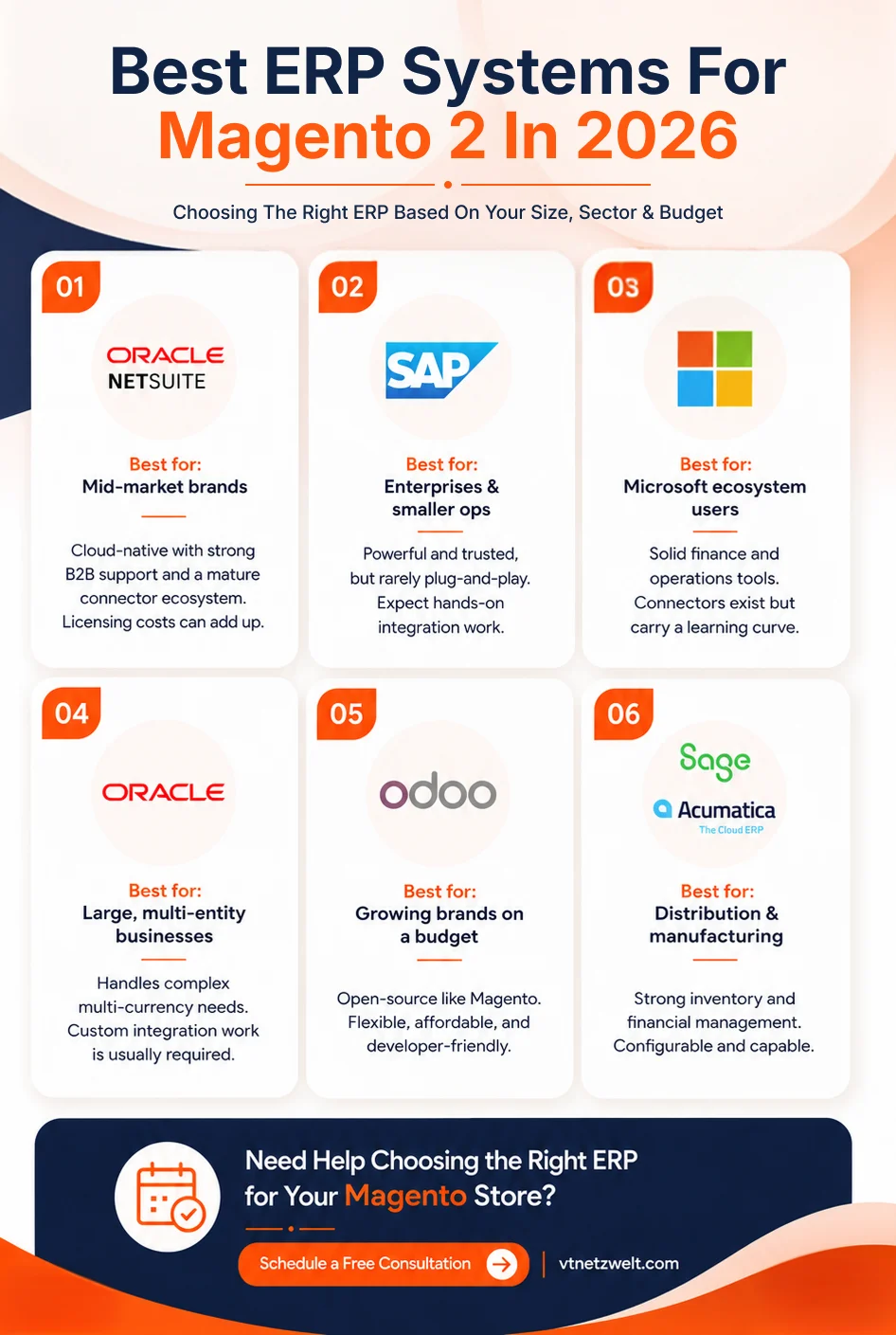
The best ERP comes down to your size, sector, and budget. Here is how the common options tend to land.
NetSuite
A mature connector ecosystem and strong B2B support. A popular cloud choice for mid-market brands, though licensing adds up.
SAP (S/4HANA and Business One)
Enterprise-grade and trusted, with Business One aimed at smaller operations. Powerful, but integration is rarely plug-and-play and usually needs experienced hands.
Microsoft Dynamics 365
Comfortable if you already live in the Microsoft ecosystem, with solid finance and operations tooling. Connectors exist, though they carry a learning curve.
Oracle (EBS and Fusion)
Built for mid-sized to large enterprises with complex, multi-currency, multi-entity needs. Capable, but expect custom integration work, as we will get to below.
Odoo
Open-source like Magento, which keeps custom development more accessible and affordable. A favorite for growing brands that want flexibility without a heavy licensing bill.
Sage and Acumatica.
Both configurable and capable, often chosen by distribution and manufacturing businesses that need strong inventory and financials.
If you are weighing options, our Adobe Commerce development team can help you match your processes to the platform that suits how you work.
Real Results: Magento ERP Integration for Petmate's B2B Store
Here is one from our own work, because it shows what this looks like beyond the theory.
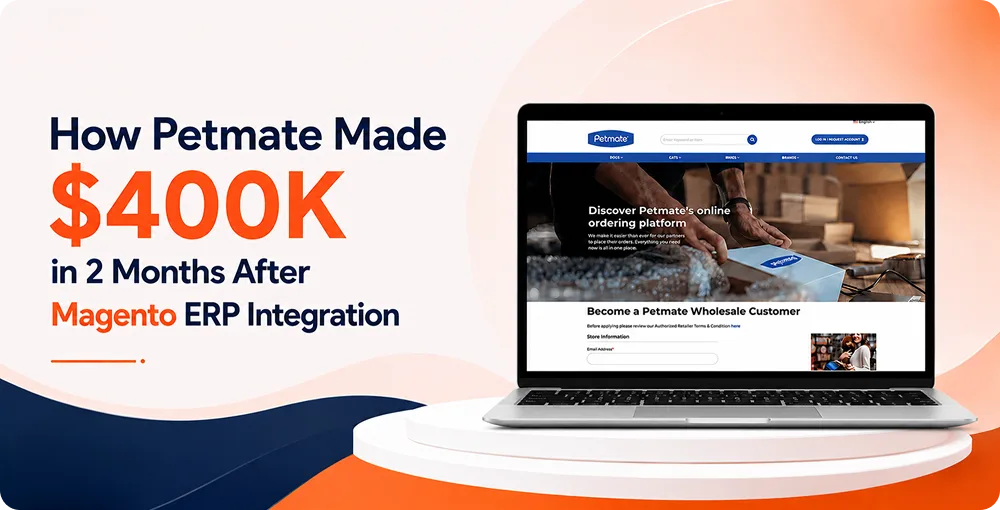
Petmate has made non-food pet products for more than 60 years and runs over 17 brands. They had a strong B2C presence but no proper interface for their B2B buyers, and orders were being submitted into Oracle by hand. That manual step capped how much they could grow, introduced errors, and left wholesale customers without real-time updates. They also needed things most stores do not: customer-specific price lists, case pack and inner pack configurations, and genuine bulk ordering.
We built their B2B store on Adobe Commerce and connected it to their Oracle E-Business Suite (EBS) through a custom middleware layer. Orders, addresses, shipping, and invoices moved between the two automatically. Scheduled jobs pulled in new data on a routine, a shared catalog API kept products in step, and we added CSV bulk ordering, cart splitting by warehouse location, and a partial-cancellation flow that let EBS cancel specific line items and adjust the order total cleanly.
The result: manual intervention dropped sharply, buyers could place and track orders themselves, and the platform held up under complex pricing and packaging. The site generated around $400,000 within two months of launch. You can read the full Petmate case study for the detail.
Magento 2 ERP Integration Cost and Timeline
Anyone who quotes a flat price before understanding your systems is guessing. That said, here are honest ranges to plan around.
Approach
Typical cost
Typical timeline
Best suited to
Prebuilt connector
Low thousands
A few weeks
Common ERPs and standard order, stock, and customer flows
Middleware / iPaaS
Mid four figures upfront, plus a monthly subscription
A few weeks to a couple of months
Linking several systems at once with monitoring built in
Custom integration
Five figures and up
Several months
Unique pricing, catalog, or B2B workflows, or SAP and Oracle stacks
The build is only part of it, though. The lines people forget are data mapping (deciding exactly which field connects to which), testing and user acceptance, any connector or iPaaS licensing, and ongoing maintenance as both platforms keep updating. Budget for those from the start so they do not surprise you later.
One thing worth repeating: where projects go wrong is almost always the discovery and data-mapping stage being rushed or skipped. So a short timeline that skips discovery should worry you, even when it looks cheaper on paper.
How to Choose a Magento ERP Integration Partner
The technology matters less than the team wiring it together. The quickest way to size up a partner is to look for a few green flags, and to spot the red ones early.
Green flags, the signs of a partner worth hiring
They start with discovery before quoting, and want to understand your ERP and order flows first.
They have integrated your specific ERP before, so they already know where Oracle or SAP tends to bite.
They plan for testing and the messy real-world cases like partial returns, split shipments, and odd pricing rules.
They are honest about trade-offs instead of steering you toward the most expensive option by default.
They are clear about ongoing maintenance and who owns the integration after launch.
Red flags, the signs to keep looking
A flat rate quoted before anyone has looked at your systems.
No track record with your particular ERP.
Vague or evasive answers about maintenance and support.
A timeline that skips discovery to look faster on paper.
If you would like a second opinion on your setup, our Magento integration services team is happy to talk it through. And for a sense of where commerce is heading, our piece on AI in Adobe Commerce is worth a read too.
The Real Payoff Is Headroom to Grow
Done well, Magento 2 ERP integration removes the manual steps that quietly cap your growth, so your store and your back office finally agree on the facts. Get the method right for your size, respect the discovery phase, and choose a partner who has done it before. The payoff shows up as fewer errors, faster fulfillment, and the headroom to take on more orders without piling pressure on your team.
Podcast - How to Plan Magento 2 ERP Integration
Your Magento store is growing but your back office is still running on manual work and spreadsheets. In this episode, we break down how Magento 2 ERP integration actually works, which method fits your business, what it really costs, and how one brand went from hand-keying orders into Oracle to generating $400K in just two months. If you are scaling an ecommerce brand and tired of your systems not talking to each other, this one is for you. Listen now.
Ready to Connect Magento 2 to Your ERP? Let's Build It
You have seen what a well-planned integration can do, including a $400,000 lift for Petmate in two months. Your store could be next. Whether you know exactly which ERP you are connecting or you are still figuring out the best route, our team will map it to your business and give you a straight quote based on your actual setup.
It connects your Magento store and your ERP so data like orders, inventory, pricing, and customers syncs between them automatically, usually through Magento’s REST API. Instead of someone re-typing information from one system into the other, the two stay in step on their own.
NetSuite, SAP (including Business One), Microsoft Dynamics 365, Oracle, Odoo, Sage, and Acumatica are all common pairings. The best fit depends on your size, industry, and budget rather than any single winner. Odoo tends to be the most accessible for growing brands, while SAP and Oracle suit larger, more complex operations.
A simple connector for a common ERP can start in the low thousands, while custom builds for SAP or Oracle with B2B complexity run well into five figures and up. Remember to budget for data mapping, testing, licensing, and ongoing maintenance on top of the initial build.
A clean connector project can take a few weeks. A complex, custom B2B integration often runs several months once discovery, development, and proper testing are included. A rushed timeline with no discovery phase usually causes problems later.
The four common routes are a prebuilt connector, middleware or iPaaS (such as Celigo or Boomi), a fully custom integration, and Adobe’s event-driven tooling for Adobe Commerce stores. The right choice depends on how many systems you are linking and how unique your workflows are.
Data duplication, syncing conflicts, B2B pricing and packaging edge cases, and connectors that struggle with custom checkout logic. Most issues trace back to a rushed discovery and data-mapping stage, which is exactly why that step deserves real attention.
Use a connector if you run a common ERP with standard flows and want speed and predictable cost. Choose custom when your pricing, catalog, or B2B workflows are genuinely unique, or when no reliable connector exists. Many growing brands start with a connector and move to custom as they scale.
I am a Solution Architect with 16+ years of experience designing scalable, high-performance eCommerce and cloud solutions. I specialize in Adobe Commerce (Magento), PHP/Python backend engineering, AWS cloud architecture, API-first and microservices architecture, performance optimization, and DevOps. I have worked on enterprise-scale, high-traffic multi-store platforms, focusing on architecture, performance, integrations, and cloud infrastructure. Currently, I am expanding into AI-driven solutions, including RAG, Generative AI, LLM integrations, and AI-powered search to enhance product discovery, automate workflows, and improve decision-making. I enjoy solving complex technical challenges and building future-ready digital ecosystems by combining eCommerce with AI.