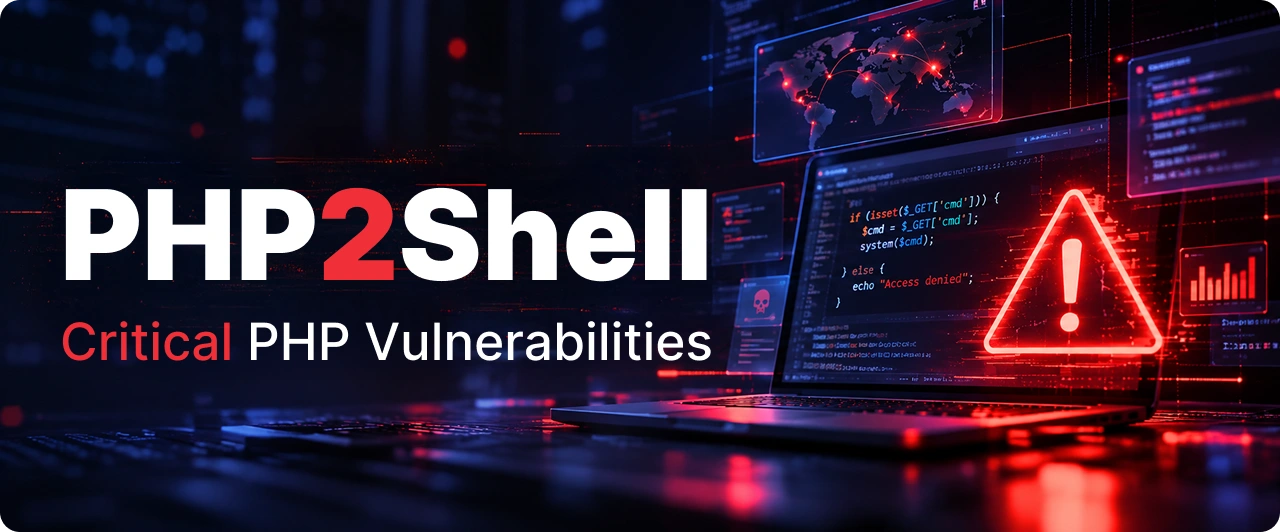
This week's biggest PHP vulnerability news is PHP2Shell, a pair of critical flaws that let attackers take over PHP servers without a password. Sites around the world have gone offline while they patch.
The one question that matters now is whether your site is exposed. This php security guide shows you how to test if your PHP is vulnerable, even if you've never opened a terminal, and which PHP vulnerability scanner to use for bigger setups. Managing lots of servers? A team offering DevOps consulting services or DevSecOps services can clear it faster.
Quick answer
Find the PHP version that serves your website in your hosting panel, WordPress Site Health, or by checking PHP-FPM on the server. The php -v command only shows the command-line version, which can differ. You're safe from PHP2Shell if it's 8.5.12, 8.4.27, 8.3.36 or 8.2.35 or newer on that branch. Older than that? Update PHP or ask your host to. PHP 8.1 and older has no official fix, so plan an upgrade.
PHP2Shell in short
What it is: two critical bugs inside PHP itself, tracked as CVE-2026-109618 and CVE-2026-109619
Severity: 9.2 out of 10 (CVSS v4.0)
Who's affected: any site running an unpatched PHP version, from a simple "Hello World" page to WordPress, Drupal, Joomla and Magento
Login needed: none
Patch released: 21 October 2026
Attacks seen since: 17 October 2026, four days before the patch, according to Amazon Threat Intelligence
How it was found: researchers at Wiz, Calif and OpenAI used AI models to uncover and prove the flaws
PHP runs about 70% of websites whose server language is known, per W3Techs. That's why this one is making headlines.
Why PHP2Shell is so serious
What an attacker can do
What it means for you
Run their own code on your server
Full control of the site: defacement, malware, backdoors
Read data from server memory
Passwords, login tokens and API keys can leak, per Wiz Research
Attack before your app even loads
A secure, well-coded app on old PHP is still exposed
Skip any login
Anyone on the internet can try it
Which PHP versions are safe?
Your PHP version
Status
Safe from
8.5
Vulnerable below 8.5.12
8.5.12
8.4
Vulnerable below 8.4.27
8.4.27
8.3
Vulnerable below 8.3.36
8.3.36
8.2
Vulnerable below 8.2.35
8.2.35 (support ends 31 Dec 2026)
7.4 to 8.1
Vulnerable/EOL
No official update
7.3 and older
Vulnerable/EOL
No fix at all
How to find your PHP version
Pick the row that matches how you run your site.
How you run your site
Where to look
WordPress
Dashboard → Tools → Site Health → Info tab → Server section
cPanel hosting
Software section → MultiPHP Manager or Select PHP Version
Plesk hosting
Websites & Domains → PHP Settings
Managed hosting (WP Engine, Kinsta, Cloudways and similar)
Check your host's status page or email, most are patching for you
Your own server
Check the PHP-FPM version (for example php-fpm8.3 -v), not just php -v. See the next section
Docker or Kubernetes
Check PHP inside each container, since the server's version tells you nothing about them
Tip Hosting panels sometimes show only "8.3" without the last number. If you can't see the full version, ask your host one question: "Is our PHP patched for CVE-2026-109618 and CVE-2026-109619?"
Why php -v can show the wrong version
This is the most common mistake right now. One server can have several PHP installs side by side, and the one in your terminal is often not the one running your website.
PHP type
What it does
Faces web traffic?
Risk from PHP2Shell
PHP CLI
Runs when you type php in a terminal, plus cron jobs and scripts
❌ No
Low. Attackers can't reach it over the web
PHP-FPM
Runs your website behind Nginx or Apache
✅ Yes
High. Attacks confirmed
mod_php
PHP built into Apache itself
✅ Yes
Highest. The attack lands before your app loads
PHP-CGI
Older setup where the web server starts PHP for each request
✅ Yes
High
What this means in practice
php -v reports the CLI version only
Your website runs on PHP-FPM, mod_php or PHP-CGI, which can be a different version
Updating the CLI package alone can leave PHP-FPM old and exposed
Servers hosting several sites may run a different PHP-FPM version per site
How to see the version your website uses
Your setup
How to check
Nginx + PHP-FPM
php-fpm8.3 -v (swap in your version), or check which PHP-FPM service is running
Apache + mod_php
Apache's PHP module version, shown on a phpinfo page
Apache + PHP-FPM
Same as Nginx, check the PHP-FPM version
Any setup, no terminal
WordPress Site Health or your hosting panel, both show the version serving web traffic
Using a phpinfo page? It shows the exact version your website runs, labeled "Server API: FPM/FastCGI" or "Apache 2.0 Handler". Delete the file straight after, since it exposes server details to anyone who finds it.
Your version looks old? Check this first
Some Linux systems fix security bugs without changing the version number. So "8.3.6" on Ubuntu or Red Hat can already be safe.
Who this affects: servers using PHP from Debian, Ubuntu, Red Hat, Rocky or AlmaLinux packages
How to confirm: check your package update notes for the two CVE numbers, or ask whoever manages the server
Still unsure? Run your system updates. If a PHP update installs, you weren't patched yet
What your result means
What you found
Are you safe?
What to do
Version at or above the safe release
✅ Yes
Make sure PHP or the web server was restarted after updating
Older version, but your Linux vendor confirms the fix
✅ Yes
Restart PHP if you haven't
Older version, no confirmed fix
🔴 No
Update PHP today, or ask your host
php -v patched, PHP-FPM still old
🔴 No
Update the PHP-FPM package and restart it
Server patched, containers still old
🔴 No
Rebuild the containers with fresh images
PHP 8.1 or older
🔴 No, and no official fix
Upgrade to PHP 8.2 or newer
Updated but forgot to restart? PHP keeps the old code running until it restarts. Restart PHP-FPM if you use it, or Apache if you run mod_php. An update without a restart leaves you exposed.
Signs someone tried it on your site
Patched already? Still worth a look back to 17 October. Wiz Research suggests watching for:
Bursts of 500 errors in your logs with no clear cause
"Allowed memory size exhausted" errors right after file upload requests
Odd, oversized PHPSESSID cookies in responses
PHP workers crashing or restarting more than usual
New PHP files you didn't add, especially in upload folders
Spot any of these? Treat it as a possible break-in and get your hosting or security team involved.
PHP vulnerability scanners worth using
For one site, the checks above are enough. For dozens of servers, use a scanner.
Tool
Best for
Catches PHP2Shell?
Tenable Nessus (plugin 369483)
Scanning a fleet of internal servers
✅ Yes, including Linux vendor fixes
Tenable Web App Scanning
Public-facing websites
✅ Yes
Wiz
Cloud workloads and containers
✅ Yes
NCSC-NL PHP2Shell list
Finding vendor products that hide PHP inside
✅ Yes, as a reference list
Cloudflare WAF
Blocking known attacks at the edge
⚠️ Blocks some attacks, but doesn't fix anything
Composer audit
Checking PHP code packages
❌ No, the bug is in PHP itself
Stay away from exploit scripts Code claiming to "test" PHP2Shell is spreading online. Some of it may carry malware, Tenable warns. Version checks and trusted scanners are the safe way to test.
Can't update today?
Updating is the only real fix. If you need a few days, these steps lower the risk:
Turn on a web firewall such as Cloudflare, which already blocks known attack patterns
Ask your developer to switch off upload progress tracking in PHP settings, which most sites never use
Limit upload sizes to what your site needs
Take the site offline if it handles sensitive data and you can't patch soon, as the UK's NCSC advises
Podcast: How to Detect and Fix PHP2Shell Vulnerabilities in PHP
Is your PHP server vulnerable to PHP2Shell? Two critical PHP security vulnerabilities, CVE-2026-109618 and CVE-2026-109619, could put your website and sensitive data at risk. In this episode, we explain what PHP2Shell is, how these security flaws affect PHP-based websites, and how to check whether your server is running a vulnerable PHP version. You'll also Discover how to identify potential security risks without advanced technical knowledge.
We explore practical steps to secure your PHP environment, including checking PHP versions, applying security patches, identifying suspicious server activity, and using trusted PHP vulnerability scanners. Whether you're managing a WordPress website, PHP application, or multiple servers, this episode will help you understand PHP2Shell risks and take the necessary steps to improve your website security.
The bottom line
Checking takes minutes. Find your PHP version, compare it with the safe list, and update or ask your host if it falls short. Don't forget containers and restarts, since those are where patched setups quietly stay exposed.
Attackers started before the patch existed. If your team runs many servers and found gaps this week, it may be time to automate patching with help from DevOps consulting services that build DevSecOps checks into every release.
FAQs
Two critical flaws in PHP (CVE-2026-109618 and CVE-2026-109619) that let attackers run code on a web server without logging in.
If it runs on an unpatched PHP version, yes. Check Tools → Site Health → Info → Server, or ask your host.
Not for this bug. The fix is updating PHP on the server.
php -v shows the command-line (CLI) PHP. Your website usually runs on PHP-FPM or mod_php, which can be an older version. Check and update those separately.
No. It gets no official fix for PHP2Shell. Upgrade to PHP 8.2 or newer.
Probably, but confirm your PHP version afterward. It takes a minute.
Tapan Kumar is a dedicated DevOps expert with a strong passion for streamlining development and operations to achieve faster, more reliable software delivery. With deep expertise in automation, CI/CD pipelines, and cloud infrastructure, he helps businesses accelerate innovation while ensuring stability and scalability. Tapan’s approach focuses on building efficient, collaborative workflows that empower teams to deliver secure, high-performance solutions at scale.
Compare DevOps agency vs DevOps consultancy in the USA. Explore key differences, use cases, costs, and choose the right partner for your business goals.