
It’s a big unknown Shopify collaborator request code- but how does one find it in a store’s admin? You aren’t alone. Many turn this on in the store but have no idea where it is if it is ever needed. This tutorial will walk you through it step-by-step and with screenshots.
The Shopify collaborator request code is a security feature that lets you, as a merchant, collaborate with other people working on your store-app developers or support teams, for example without compromising your account’s security. Using the access request code, your collaborators can request an invitation to various sections within your store, including Apps, Themes, or Products.
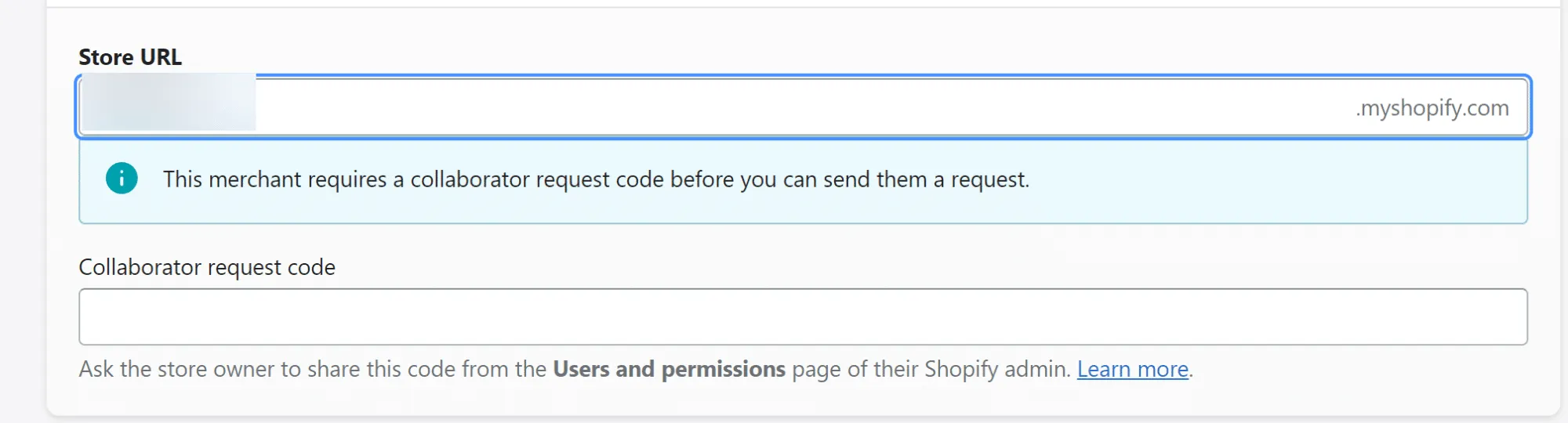
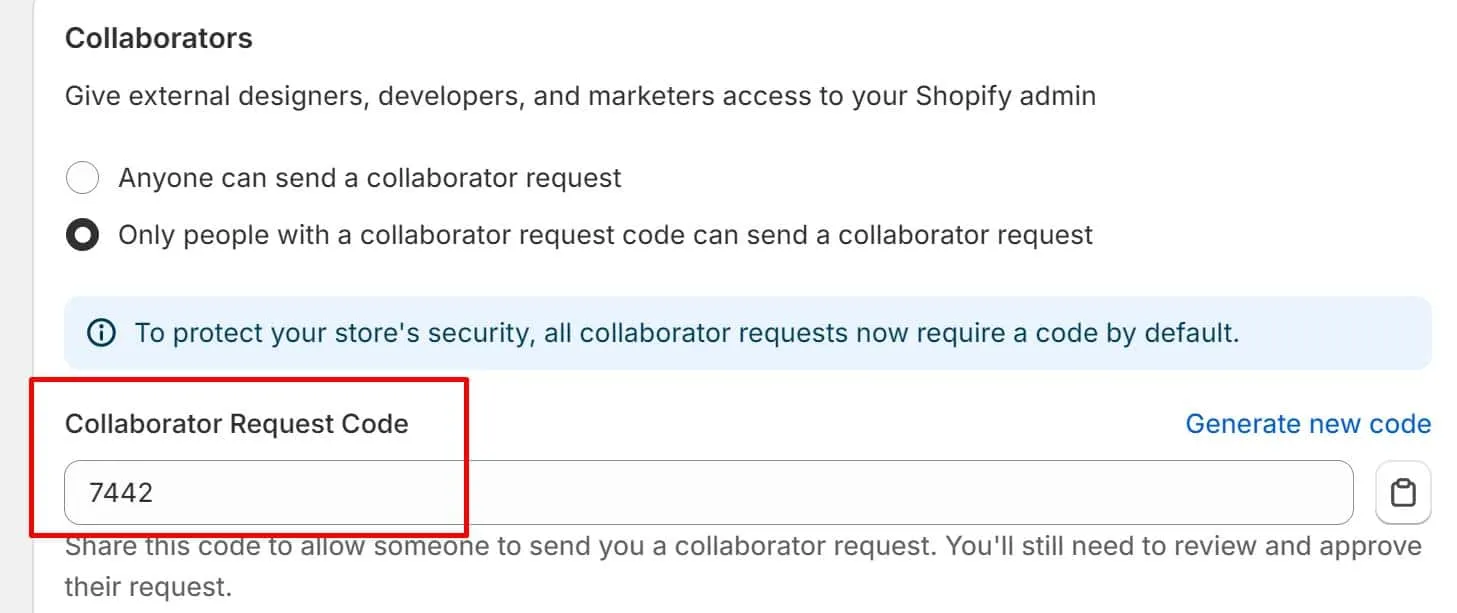
Follow these steps if you ever need to allow or deny entry through the code-based option, where you receive the 4-digit collaborator request code:

VT Netzwelt offers expert Shopify development services to help you create, customize, and optimize your eCommerce store. With over 11 years of experience and a proven track record, our team delivers tailored solutions that enhance performance and scalability. From theme customization to app integration, we ensure your store meets your business needs. Contact us today to discuss how we can help you succeed with Shopify!
No, you cannot manually change the request code. However, you can generate a new code by clicking “Generate new code,” which will invalidate any previous codes.
Yes, collaborators must have a Shopify Partner Account to request access to your store, regardless of whether or not they have the request code.
Yes, you can choose to restrict collaborator access to certain parts of your store, such as Apps, Themes, or Products, depending on the nature of their work.

Are You Prepared for Digital Transformation?

Adobe Commerce Development
Discover the best enterprise eCommerce platform in 2026—Adobe Commerce vs Shopify Plus for US businesses, based on cost and growth.

eCommerce
Switching platforms? Discover a proven Shopify to Magento 2 migration plan from a trusted Magento migration company for growing US brands.

Shopify Development
Shopify Online Store 2.0 is the latest evolution of Shopify’s platform, designed to offer store owners greater control, flexibility, and performance. Since its launch, Shopify powers over 1.75 million businesses worldwide, and with the introduction of Store 2.0, it has solidified its position as one of the most trusted e-commerce platforms in the market.